Quick Introduction
This step-by-step guide will teach you how to use Linkedin to contact the perfect type of clients you are looking for. This method aims to quickly create new connections with new prospects using new tools that are either free or inexpensive to use. There are many people who need graphic design work, it’s just a matter of finding them.
Understanding Client Expectations & Mindset
Remember, you are a graphic design freelancer which can worry some companies. They don’t how to keep track of your work or if you will actually deliver. They will be uneasy when you first speak with them. Your job is to build their CONFIDENCE and show that you are a PROFESSIONAL. This is especially key if you are reaching out to clients.
Here are some quick rules of thumb:
CLIENTS LIKE TO WORK WITH DESIGNERS WHO ARE PASSIONATE
CLIENTS LIKE TO WORK WITH DESIGNERS WHO ARE HARD WORKERS
CLIENTS LIKE TO WORK WITH DESIGNERS WHO HAVE A PORTFOLIO
CLIENTS LIKE TO WORK WITH DESIGNERS WHO ARE RESPONSIVE
CLIENTS LIKE TO WORK WITH DESIGNERS WHO ARE FLEXIBLE
CLIENTS LIKE TO WORK WITH DESIGNERS WHO ARE TRANSPARENT
Remember, clients want to know the work they pay for will get done and correctly.
Step 1. Defining Your Customer Persona
I tell this to not only my employees, but also to my clients. It is important that you KNOW WHO YOUR AUDIENCE IS. You are not going to target everyone, and you are not going to take over everyone’s work. You need to first focus on a specific persona to start your lead generation. For example, if you are involved in health & fitness a lot, try to focus on clients in this realm. All leads and customers aren’t created equal.
The 80/20 principle tells that 80% of revenue is generated by 20% of customers. If we apply it once more, we’ll see that 4% of customers generate 64% of revenue. The real problem here is that most companies never give this 4% of customers and leads the time they deserve.
An customer profile helps you to collect the data from your customers from the specific market segment and to focus your inbound strategy on them, instead of prospecting everybody who might buy from you. This takes your Linkedin content from: “5 key lessons I learned about Fintech startups” to “5 key lessons I learned from running a fast growing Fintech start-up as a CEO” Knowing this, building your content strategy is a piece of cake.
If you are still deciding on your Ideal Customer Profile, start here:
Want to get a free 15-page worksheet that helps you define your persona for you? You can download your free copy here: https://brentonway.com/resources/
Also, put yourself in the business owners shoes. Would you pay that much for your service based on your portfolio & why?
Step 2. Defining Your Market Segment
Different market segments who will potentially buy your product have different challenges, goals and, accordingly, seek completely different content. A senior marketer or head of growth from an enterprise SaaS might be looking for website creatives while a business owner will be looking for print designs for a conference.
The segment you define will allow you to better present your portfolio and be more effective in gaining client interest in the first place. Even if you try to create universal content that will fit both market segments, you’ll face another problem – relevant examples.
Here is another rule of thumb:
Relevant content = relevant examples.
When the head of marketing for ClassPass (net monthly revenue of $2M) sees examples that are related to an early-stage startup or print graphic, she’ll subconsciously mark the content as irrelevant.
Step 3. Finding Your Customers
What we are going to do now is use an amazing tool to build a large list of decision-makers based on your defined customer persona and your targeted segment. I Highly recommend purchasing sales navigator for this. You can also sign up for a 1 month free trial for sales navigator here. This will let you connect with a lot more prospects and get many more search results for your lead generation.
- Visit useorca.com
- Click download the app
- At the top you will click Create Campaign
- You will then see a search area where you can define who you want to target. For the demonstration, I have broken it down simply as:
- Connections to 1st Connection
- Industries as Computer Games
- Locations as Los Angeles
- Main search as marketing manager
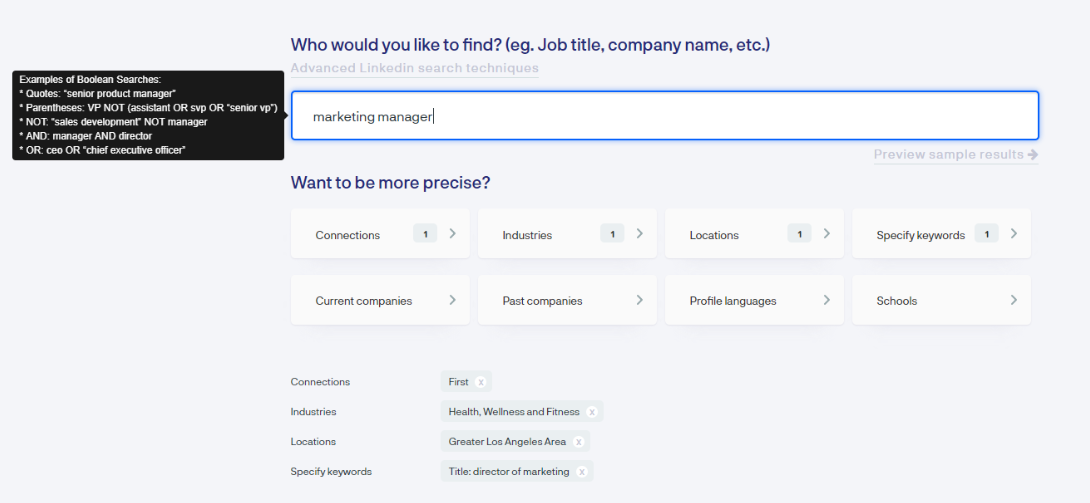
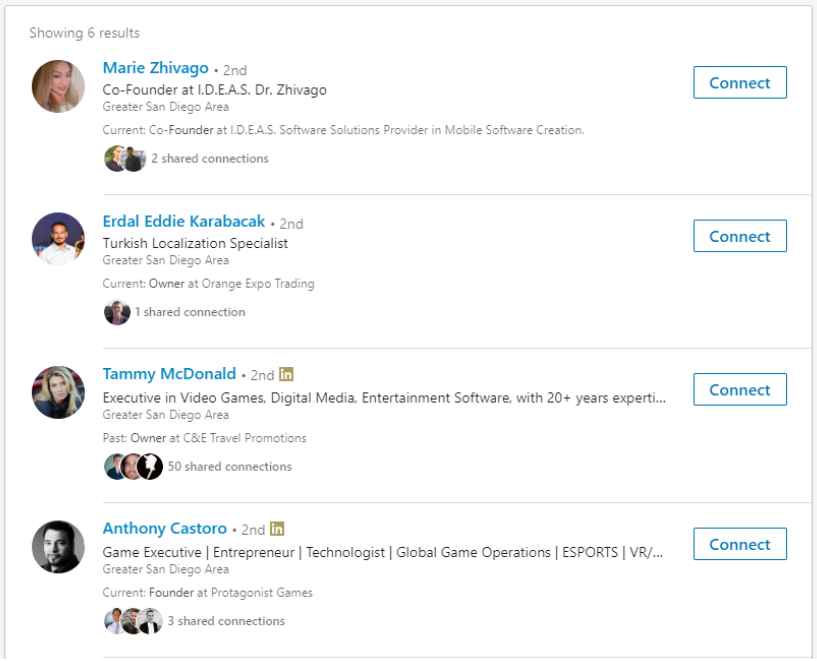
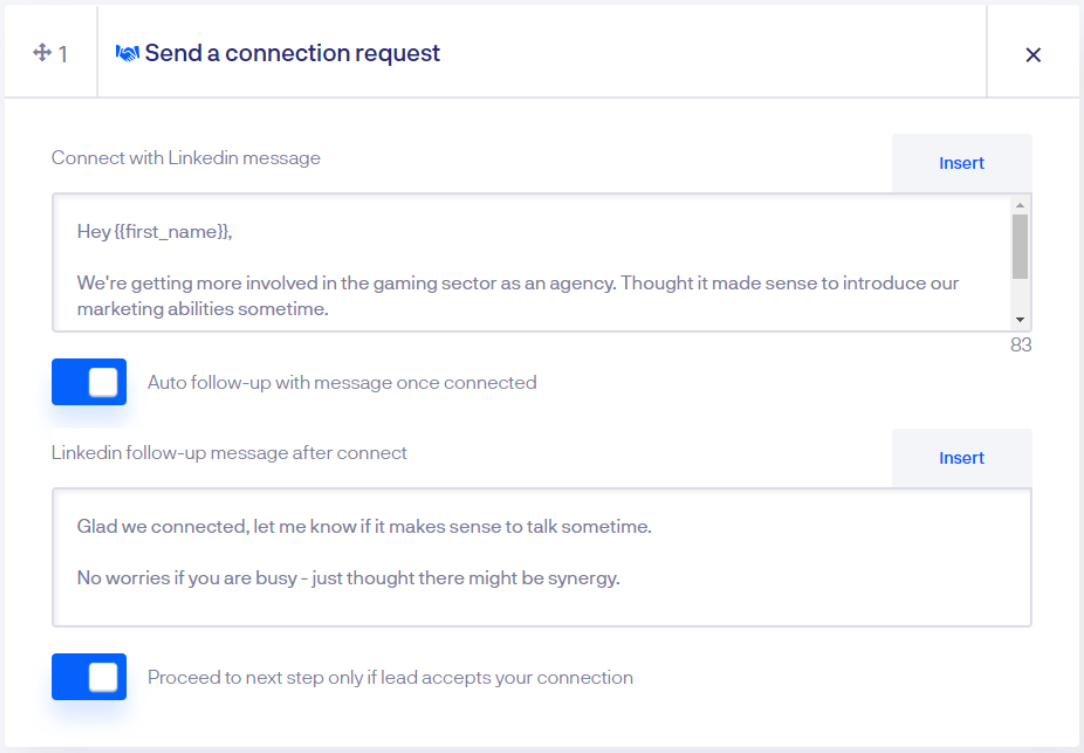
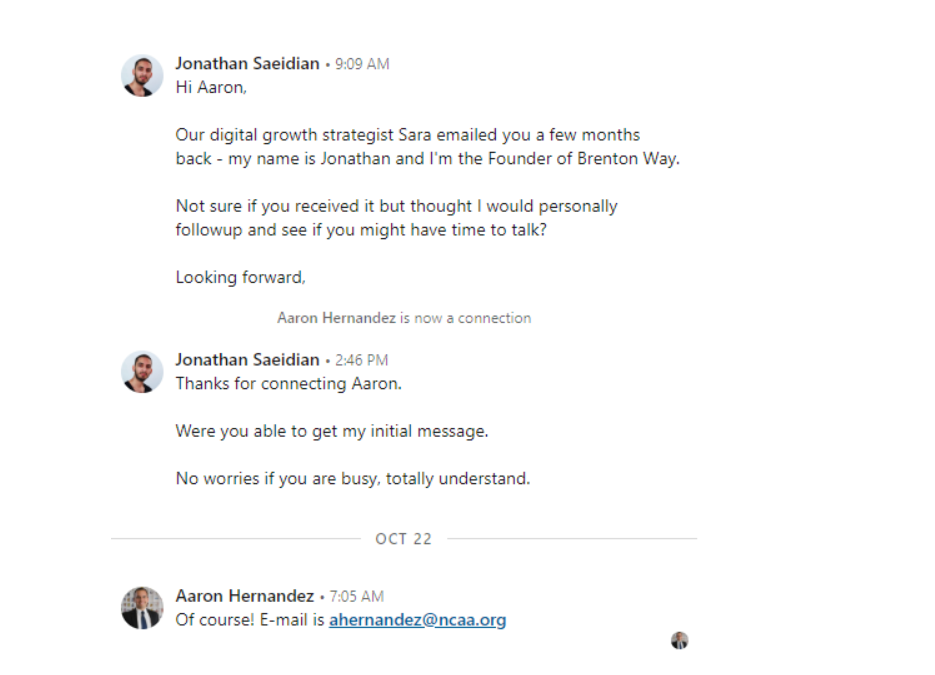
What does this mean? Basically, we will be finding people based on this criterion on Linkedin and connecting with them. Here is a sample of the connections I got: